


Why this comparison matters
Deciding between a static print, an LCD poster, or a compact LED poster comes down to impact, cost, and where people actually stop to look. If you want something that reads like a billboard but fits in a window, a led poster display is often the practical first pick—bright, modular, and built to pull eyes without a forklift or extra staff.
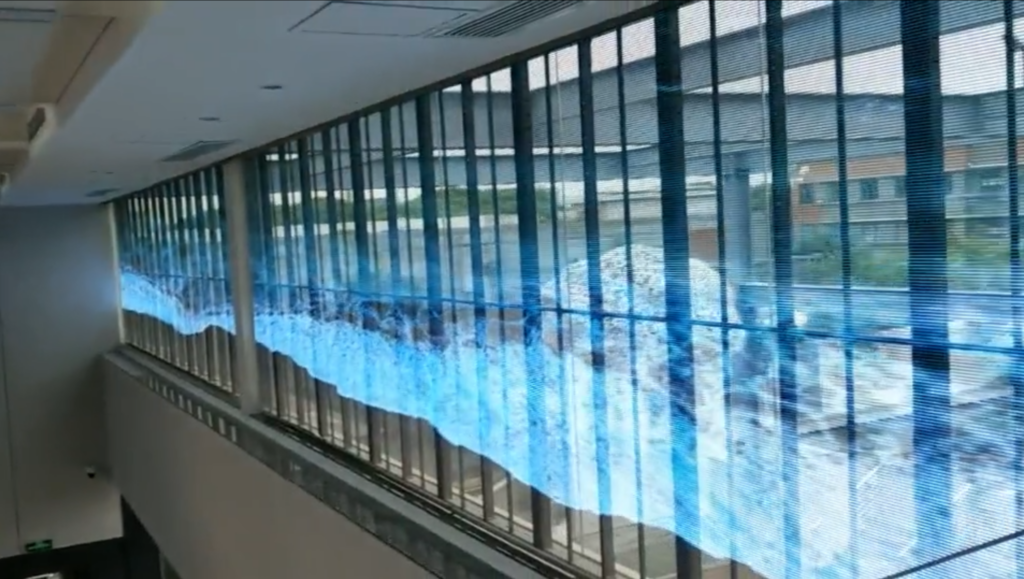
What LED poster displays do best
They deliver brightness that beats most indoor LCDs, vivid color with fewer reflections, and a thin footprint that hangs like framed art. Motion and simple animations increase recall. Power draw is reasonable for continuous retail use. You get remote content updates, scheduled loops, and a clean modern look that printed posters can’t match. For small businesses, that mix of visibility and low operational fuss is the real advantage.
How they compare to LCD posters and printed posters
Printed posters: cheapest up front, zero power needs, but permanent and can’t A/B test. LCD posters: good color accuracy and touch options, but lower peak brightness and more glare under strong lighting. LED poster displays: higher peak brightness, better viewing in varied lighting, and longer life for continuous signage. Choose printed when budget is tiny and messaging rarely changes; choose LCD if you need touch interaction or ultra-accurate color; choose LED when you need day-long visibility and punchy visuals.
Common pitfalls and mistakes
Buyers often overpay for resolution they’ll never see from 3–6 feet away. Another mistake: neglecting ventilation—LED modules still need heat clearance. Forgetting content cadence is common too; static images on a dynamic screen feel lazy. Finally, mismatching brightness to environment leads to washed-out appearance or unnecessary power use—measure ambient lux first and pick an appropriate nit rating.
Experience, expertise, and real-world anchor
I’ve specified digital signage for retail rollouts and worked with installers that have deployed systems at trade showcases like CES and high-traffic corridors such as Times Square—places where visibility and uptime are non-negotiable. For a hands-on example of what modern hardware looks like and its real deployment specs, check a trusted reference for a digital led poster display that balances brightness, weight, and connectivity without overcomplicating installation.

Selection checklist — concrete criteria
Resolution vs. viewing distance: don’t chase pixel density; aim for readable text at intended distance. Brightness: 800–1500 nits for storefronts that face daylight; 400–800 nits for indoor malls. Connectivity: prefer players with Wi‑Fi plus Ethernet and a content management system that supports scheduling. Serviceability: modular LEDs and front service access cut downtime. Mounting and weight: confirm wall type and anchors. Budget: include content production and remote management in the total cost of ownership.
Alternatives worth considering briefly
If interactivity is core, an LCD touch display still wins. For ultra-low cost and disposable campaigns, print remains fastest. If you need the highest contrast in direct sunlight, consider larger outdoor-rated LED billboards rather than a compact poster model. Each choice trades visibility, cost, and operational complexity—pick the one aligned with how often you’ll change messages and who’s maintaining it.
Final take
When you want a compact, attention-grabbing screen that’s readable in bright places and easy to manage remotely, LED posters usually deliver the best balance. They avoid the single-use waste of print and the glare or fragility of some LCD options. For practical deployments and reliable hardware decisions, teams I trust often land on partners that provide clear specs, serviceable designs, and real-world testing data—details available from HDC that make selection easier rather than louder.
